MACOS INTUNE MIGRATION & DIGITAL WORKPLACE

Enterprise macOS Intune Migration, Engineered End to End.

Transitioning your Apple fleet to Microsoft Intune requires more than moving configuration profiles. Unified360 combines deep Digital Workplace expertise with a proven 6-stage migration framework and proprietary macOS applications that measure enrollment speed, capture user feedback, and close critical software gaps.

6-Stage Migration Framework
Live Telemetry Enrollment Tracking
Custom macOS Enterprise Tooling
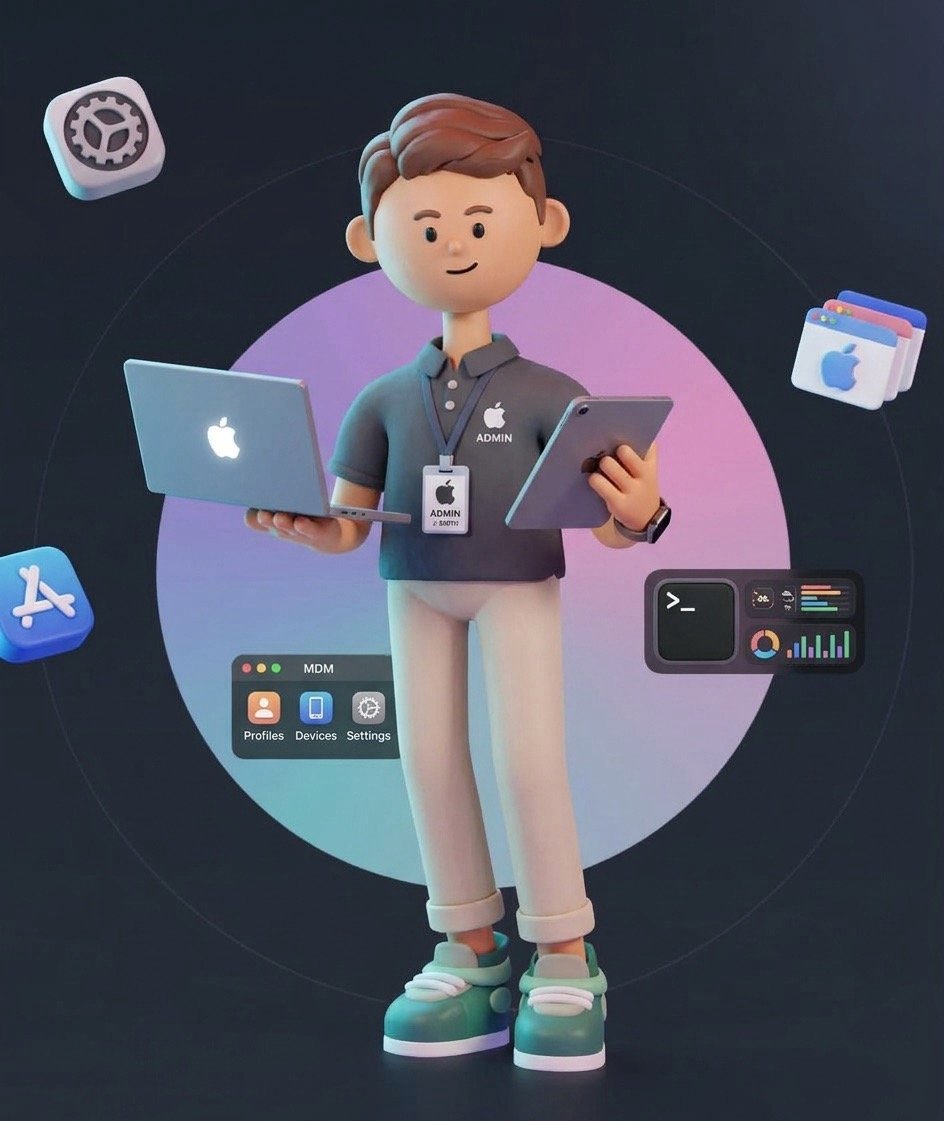
Apple experts in Sweden — macOS Intune migration and Digital Workplace engineering

Comprehensive Digital Workplace engineering for modern enterprises.

Before migrating a single device, our engineers align your endpoint management, identity architecture, security baselines, and application delivery so macOS works as a first-class citizen in your enterprise environment.

01 / UNIFIED ENDPOINT MANAGEMENT

Cross-Platform Fleet Architecture

We design, manage, and consolidate enterprise device environments across Microsoft Intune, Jamf Pro, Kandji, and FileWave—ensuring consistent governance across macOS, Windows, iOS, and Android endpoints.

Microsoft Intune Apple Business Manager Automated Device Enrollment
02 / IDENTITY & ZERO TRUST

Entra ID, Platform SSO & Conditional Access

Seamless integration between macOS endpoints and Microsoft Entra ID or Okta. We configure macOS Platform Single Sign-On (PSSO), device compliance policies, and Conditional Access gates to protect corporate data.

Microsoft Entra ID Platform SSO Conditional Access
03 / SECURITY & COMPLIANCE

CIS Hardening & Endpoint Security

Automated enforcement of CIS Benchmarks, FileVault disk encryption with key escrow, Gatekeeper policies, system extensions, and privacy preference (PPPC/TCC) profiles without interrupting end-user productivity.

FileVault Escrow CIS Benchmarks PPPC & Kernel Extensions
04 / APPLICATION DELIVERY & AUTOMATION

Silent Packaging & Custom macOS Apps

Unlike generalist providers that stop at basic MDM policies, we package complex macOS software into Apple-notarized `.pkg` and `.intunewin` formats and build custom native Swift apps where off-the-shelf tools fall short.

Signed & Notarized PKG Native Swift Tooling Shell & Daemon Automation

The 6 Stages of a macOS Intune Migration

A structured, low-risk methodology designed to transition macOS fleets to Microsoft Intune with full technical visibility and minimal impact on daily work.

STAGE 01 DISCOVERY

1. Information Gathering

We audit your current macOS estate, existing MDM configurations, scripts, certificates, network profiles, and application inventory to establish a complete technical baseline before planning the transition.

STAGE 02 SECURITY

2. Verifying Security Details

We review and verify all security and compliance requirements—including FileVault encryption, Microsoft Entra ID Conditional Access, EDR/XDR sensors, CIS benchmarks, and PPPC/TCC permissions.

STAGE 03 PERSONAS

3. Critical Persona Users

We identify critical user personas across your organisation (executives, developers, creatives, field teams) and map their specialized workflows, peripherals, and software dependencies so nothing breaks during cutover.

STAGE 04 ARCHITECTURE

4. Present Migration Design

We present a comprehensive migration design document detailing target Microsoft Intune architecture, policy parity mapping, enrollment flow, user communication templates, and rollback safeguards.

STAGE 05 ENGINEERING

5. Start Building & Testing

We build the Intune configuration profiles, package and notarize required macOS applications, configure our in-house post-enrollment telemetry app, and run rigorous pilot testing across representative Mac models.

STAGE 06 ROLLOUT

6. Migration Starts in Phases

The production migration executes in controlled waves. Every enrollment is tracked in real time by our telemetry tooling, allowing our engineers to support users and resolve anomalies proactively.

PROPRIETARY IN-HOUSE MACOS TOOLING

Post-Enrollment Status, Telemetry & User Feedback App

While other MSPs lack a mature, purpose-built onboarding tool and leave users staring at a blank desktop during MDM enrollment, Unified360 has developed and matured a dedicated in-house post-enrollment macOS application that guides employees through every step of setup.

Enrollment Duration Telemetry

Our app records exactly how much time it takes to enroll each Mac and sends the data to a central repository. We present clear metrics to the client—and if enrollment takes longer than expected, our team proactively investigates and solves the root cause.

Built-In End-User Feedback

Captures direct user feedback immediately after enrollment completes, giving IT leadership real visibility into how happy and confident employees are during the macOS transition.

Live Post-Enrollment Progress

Shows users clear, real-time installation status for security agents, core business apps, and configurations so they know exactly when their Mac is ready.

Matured Over Real Enterprise Rollouts

Unlike ad-hoc shell scripts used by traditional MSPs, our custom-built native tool has been refined across enterprise migrations to deliver a reliable, repeatable experience.

▲ Full-Screen Demo: Unified360 in-house macOS post-enrollment status, timing telemetry & user feedback app
Request a Live Walkthrough →
CLIENT FEEDBACK · MAC TRANSITION PROJECT
“This is extraordinary experience. I have never completed any project so successfully. The apps you built were so smooth and fast, other providers in the past had been taking 1 week to finalise a script while you built apps over the weekend. Just amazing, please forward to your managers so they know.”
— Enterprise Client in Germany · macOS Transition Project
CUSTOM ENTERPRISE MACOS APPLICATION

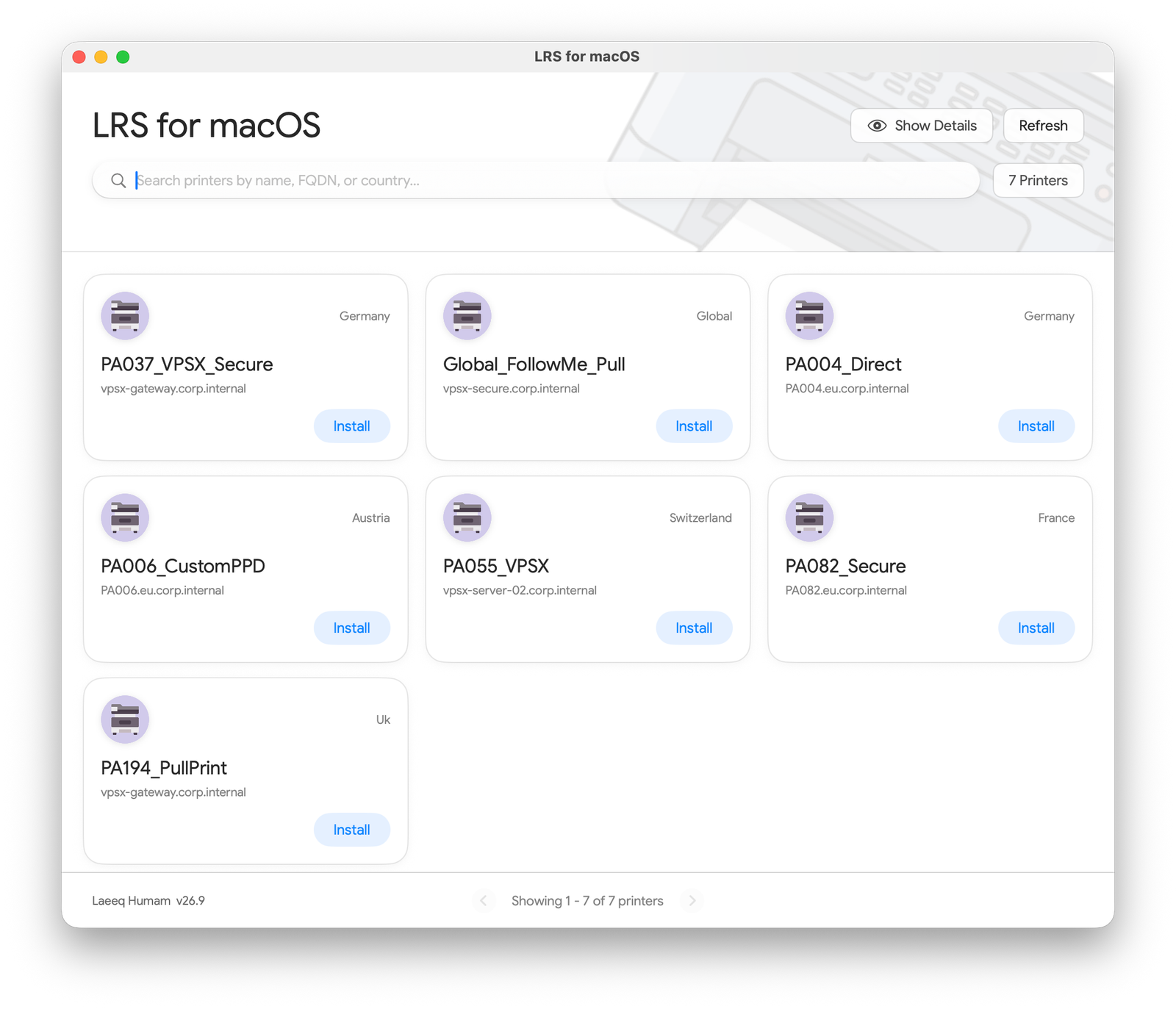
LRS for macOS — Solving the Enterprise Print Gap

During enterprise macOS transitions, organisations often discover critical Windows tools that have no Mac equivalent. We built LRS for macOS for our client because the VPSX Print Manager was only available for Windows—leaving Mac users without a self-service way to find and install corporate printers.

  • ✓ Built for Mac Users: Provides a fast, native macOS interface where employees can search printers by name, FQDN, or country and install them in one click.
  • ✓ Bridging the Windows-Only VPSX Gap: Eliminates manual IP/LPD printer setup tickets by bringing enterprise VPSX print queue management natively to macOS.
  • ✓ 100% Configurable via .json or .plist: Highly customizable architecture where printer catalogs, regional gateways, custom PPDs, and settings are managed via a standard .json or .plist configuration file deployed through Microsoft Intune.
Native macOS App JSON & PLIST Configurable VPSX Print Integration Microsoft Intune Ready
LRS for macOS custom enterprise printer management application configured via JSON or plist
▲ LRS for macOS: Native enterprise printer management app built by Unified360, fully configurable via .json or .plist
Discuss Custom macOS Tooling →

Planning a macOS migration to Microsoft Intune?

Talk to the engineers who build the migration architecture, post-enrollment telemetry tools, and custom macOS apps that make enterprise transitions succeed.